FutariShift

iPhone · iOS 26+

Two shift schedules,one calendar.

An iPhone app for couples to share work shifts and plans. Stamp your shifts onto a month calendar, share with your partner through iCloud, and see both schedules and the days you are both off at a glance.

Download on the App StoreFree (no ads, no in-app purchases)

Scan with your iPhone

FutariShift

Made for

What it does

  1. 01

    Start by picking your job

    Choose from 23 job presets, including hospital and care facility kitchens, nursing (2 or 3 shifts), caregiving, childcare, retail, factories, security and fire service, and the matching shifts are ready to use. Names, abbreviations, colors and times can be changed later.

  2. 02

    Stamp a whole month quickly

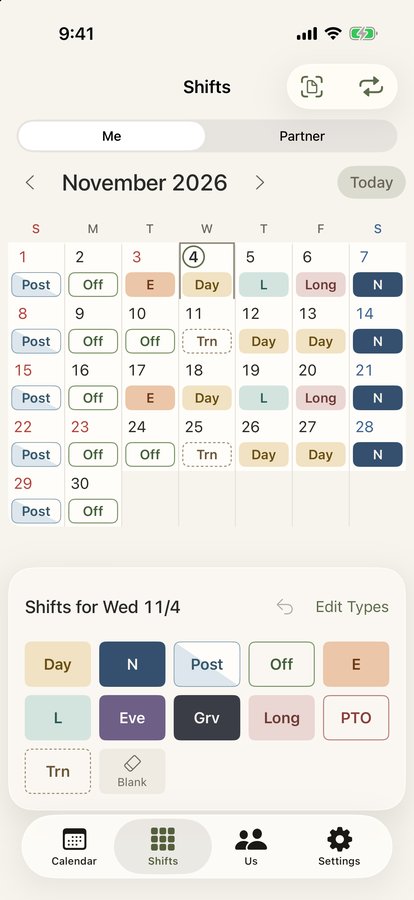
    Pick a shift from the palette and tap one day after another. Shifts are told apart by abbreviation, fill style and color.

  3. 03

    Both schedules on one calendar

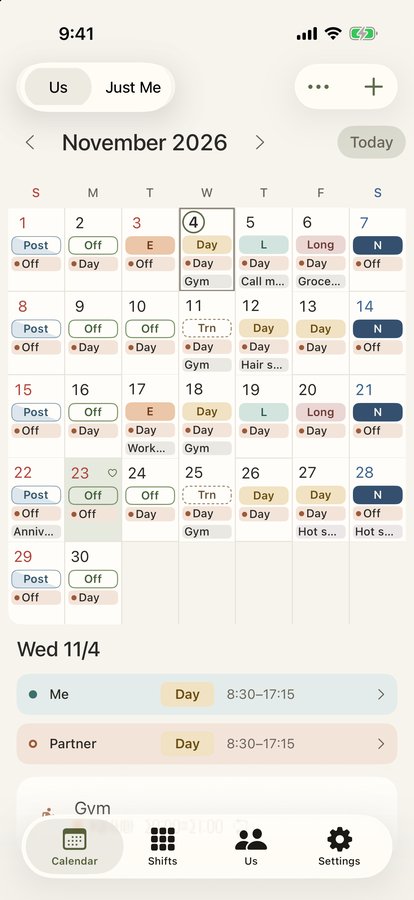
    Invite your partner with iCloud sharing and both of your shifts and plans appear on the same month calendar. Each plan can be shown to or hidden from your partner.

  4. 04

    See the days you are both off

    Days when you are both off are marked with a color and a heart. The pair screen shows how many shared days off you have that month, plus each person's workdays and hours.

  5. 05

    Handy extras

    Shift alarms, Home Screen and Lock Screen widgets, export to the iPhone Calendar, reading shifts from a photo of a paper roster, photos on plans, to-dos, and a Face ID lock.

In detail

Both of you on one month calendar
01

Both of you on one month calendar

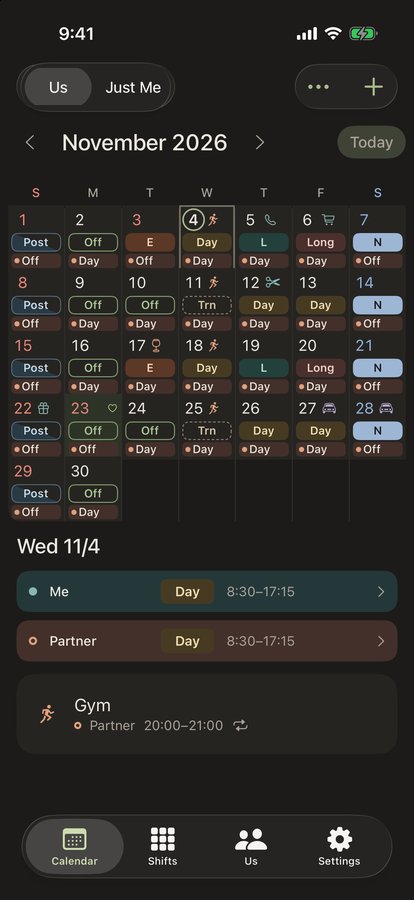
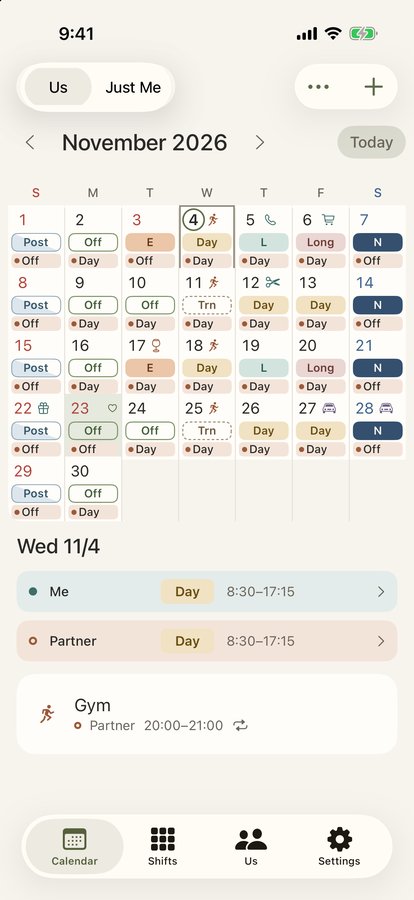
Each day shows your shift and your partner's shift, one above the other. Tap a date to see both shifts and plans for that day.

  • Switch between both and just you
  • Optionally show plan titles in each day
Entering shifts is just tapping
02

Entering shifts is just tapping

Switch between you and your partner and stamp shifts from the palette onto dates. Made a mistake? Undo the last one.

  • Day, night, after-night, early, late and more
  • Add, reorder or hide shift patterns
Compare your month side by side
03

Compare your month side by side

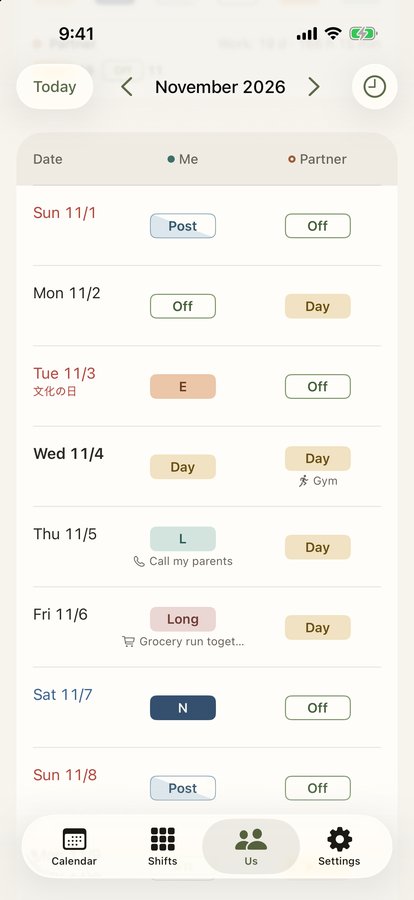
A list of both shifts by date, with a summary of shared days off, workdays and hours for the month.

04

Read a paper roster from a photo

Take a photo of your paper roster or choose one, and the shifts are read with on-device text recognition. The image is never sent anywhere.

05

Works with your iPhone

Alarms per shift (same day or day before, with snooze), widgets showing today for both of you, and export to and display of the iPhone Calendar. All of it runs on your iPhone.

How it works

  1. 1

    Pick your job

    In the welcome guide, choose your job type. Shifts that match the way you work are set up for you.

  2. 2
    Enter your shifts

    Enter your shifts

    On the shift entry screen, stamp shifts from the palette onto dates.

  3. 3
    Invite your partner

    Invite your partner

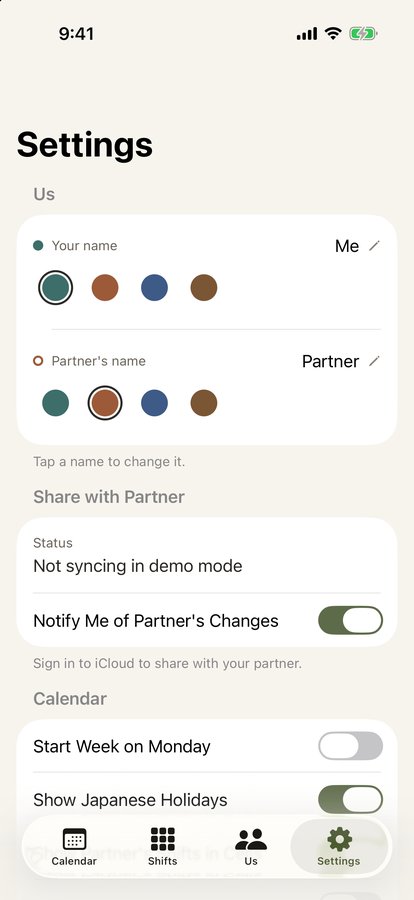
    Send an invitation link from "Share with your partner" in Settings. Once your partner opens it, both schedules appear on one calendar.

Screens

Calendar
Calendar
Shift entry
Shift entry
Pair view
Pair view
Plan titles in each day
Dark mode
Dark mode
Settings
Settings

FAQ

Does it cost anything?

No. The app is free, with no ads and no in-app purchases.

Do I need to create an account?

No. Your data is stored on your iPhone and in your own iCloud.

What do we need to share with each other?

Both of you need the app on an iPhone and to be signed in to iCloud. Send an invitation link from "Share with your partner" in Settings; sharing starts when your partner opens it.

What about plans I don't want my partner to see?

Each plan can be set to hidden from your partner. Hidden plans are stored in an area that is not shared, so your partner cannot see them.

Is any of my data sent to the developer?

No. There is no developer server and no advertising or analytics. See the privacy policy for details.

Is it available on Android or a computer?

It is for iPhone only (iOS 26 or later).

Two shift schedules, one calendar.

Download on the App Store
FutariShiftGet